Its standout calendar view lets you see your projected bank balance days — and even months — ahead, factoring in all your upcoming expenses and recurring bills.
Personal finance, projected forward
Know what you can spend, before you spend it.
NEKO is a free personal finance app for iPhone and Android that puts your bills, income, credit cards and loans on one calendar and projects your balance forward. No bank connection required.


Free · No bank login
How it works
Set it up in three steps, NEKO does the rest.
01
Add your accounts
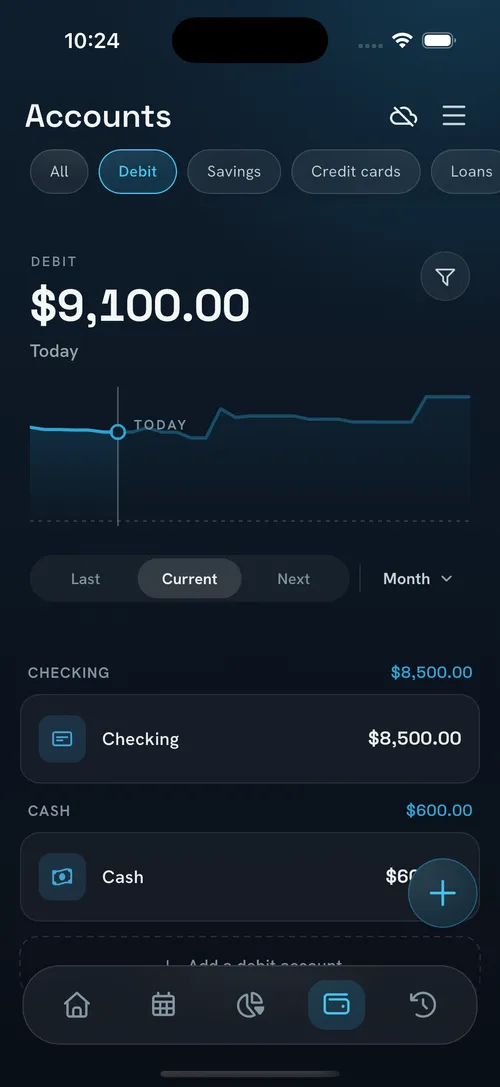
Cash, checking, savings, credit cards, loans. Type a starting balance. There is no bank login to connect.
02
Add what repeats
Rent, electricity, subscriptions, your paycheck, entered once. Any schedule works: weekly, biweekly, monthly, or any custom interval.
03
Take control without doing the math
NEKO does the math. Every day on the calendar shows a projected balance, and Safe to Spend shows what is actually yours today.
01 · The forecasting calendar
See what you will have left after your bills.
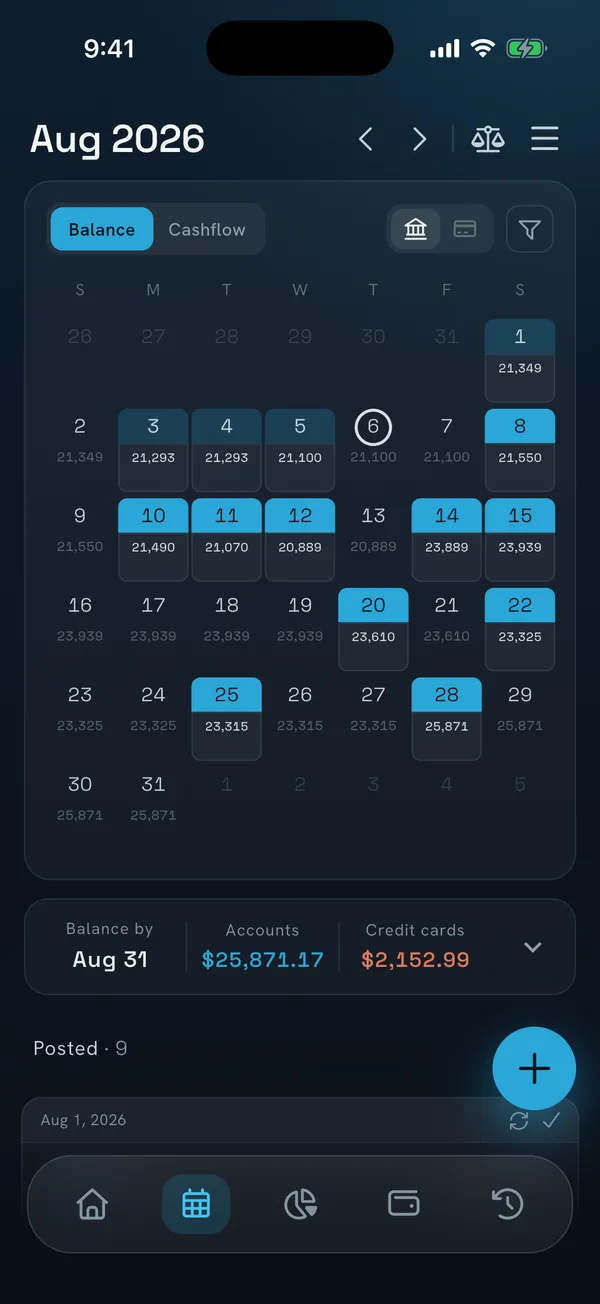
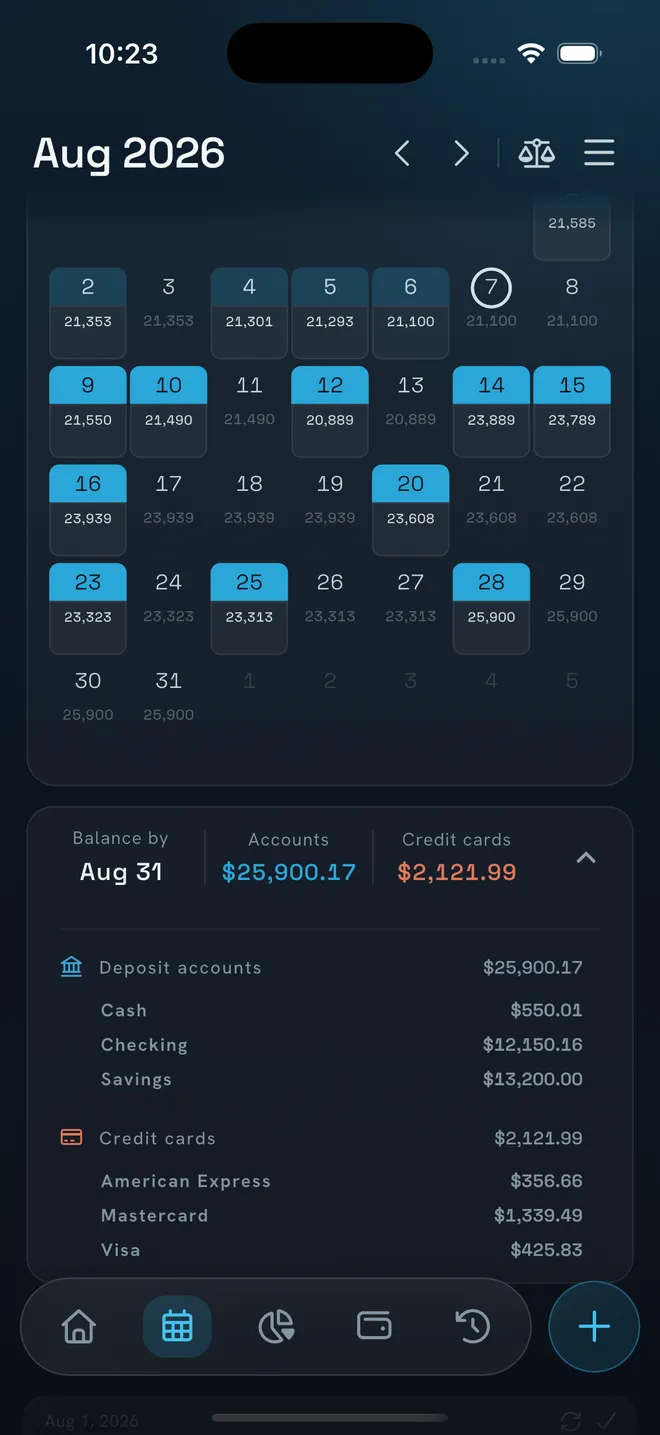
Every bill, paycheck and card payment sits on a month calendar, and every future day shows the balance you will have when it arrives. So you know today whether the money will last, with time to adjust your spending.
- Projected daily balance as far ahead as your bills and income go
- Toggle balance and cash-flow views, bank or credit card
- Tap any day for money in, money out, and balance by account
02 · Safe to Spend
What you can really spend, without coming up short.
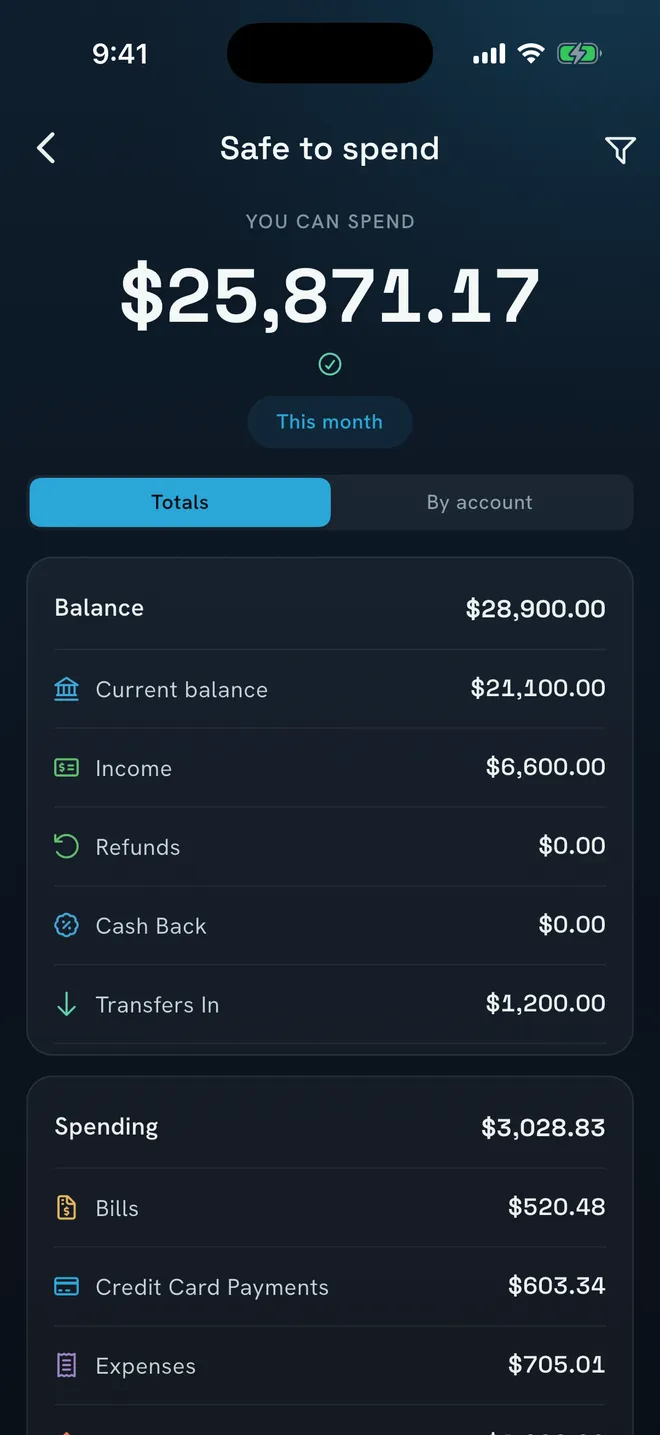
Your balance minus everything already promised: upcoming bills, card payments, transfers. Check it for this month, before payday, or any date you pick. What is left is genuinely yours to spend.
- Full breakdown per account, so you know which one to move money from
- Warns you early when an account is headed for overdraft
- On your home screen, your lock screen, and by asking Siri
03 · Your data is yours
We never ask for access to your bank.
NEKO never asks for your bank credentials. Use it anonymously and your data stays on your device, or sign in with Apple or Google when you want it synced securely across your devices. And no bank connection doesn't mean typing everything by hand: import a bank statement, spreadsheet or CSV whenever you want, and NEKO fills in the rest.
Works offline
Most features work without internet. If you sign in, everything syncs once you are back online.
Private and secure
PIN plus Face ID or fingerprint, with auto-lock.
Sync is your call
Anonymous and on-device, or signed in and synced across devices.
04 · Use your credit cards right
Know exactly what to pay to avoid interest.
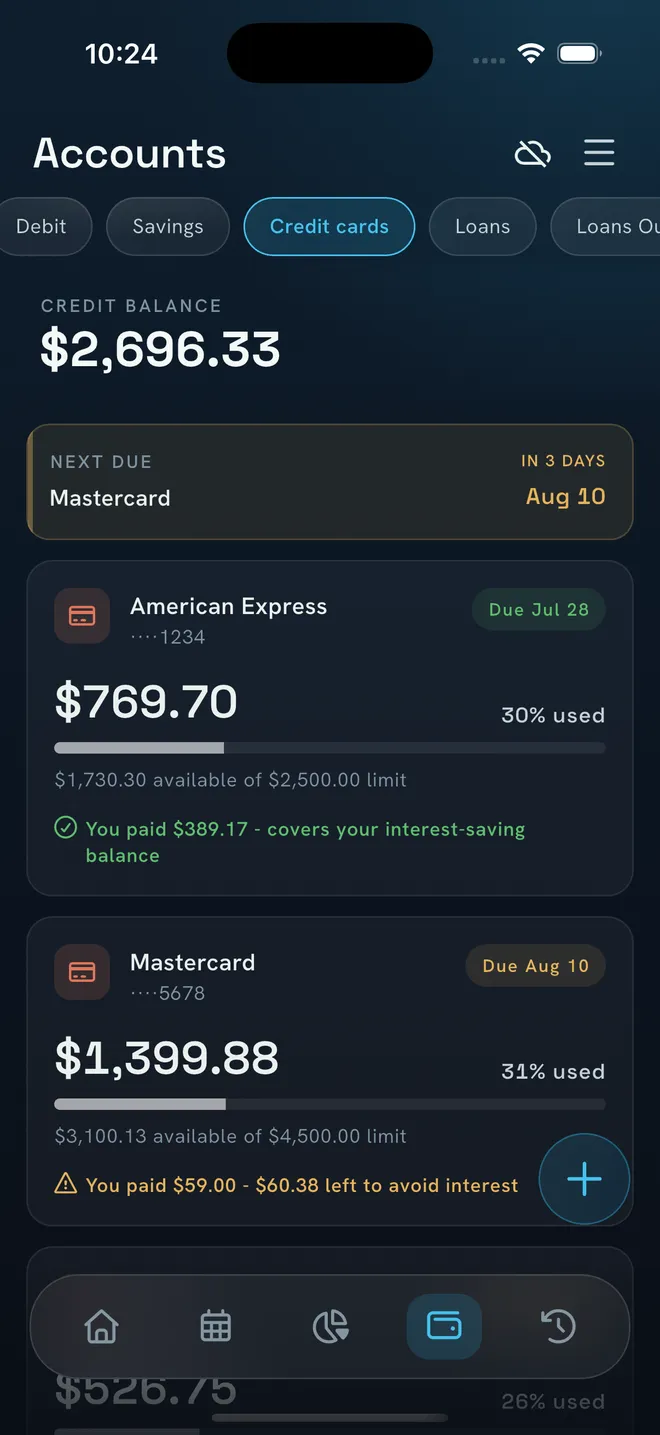
NEKO models the real statement cycle (closing day, due day, grace period) and tells you the exact amount that keeps you at zero interest. Installments and buy-now-pay-later plans land in the right statement automatically.
- Payment due-date reminders, so interest is never an accident
- See how much of your credit line you are using, to protect your credit score
- Know how much you will pay even before your statement arrives
05 · Loans and debt
Know the day you finish paying.
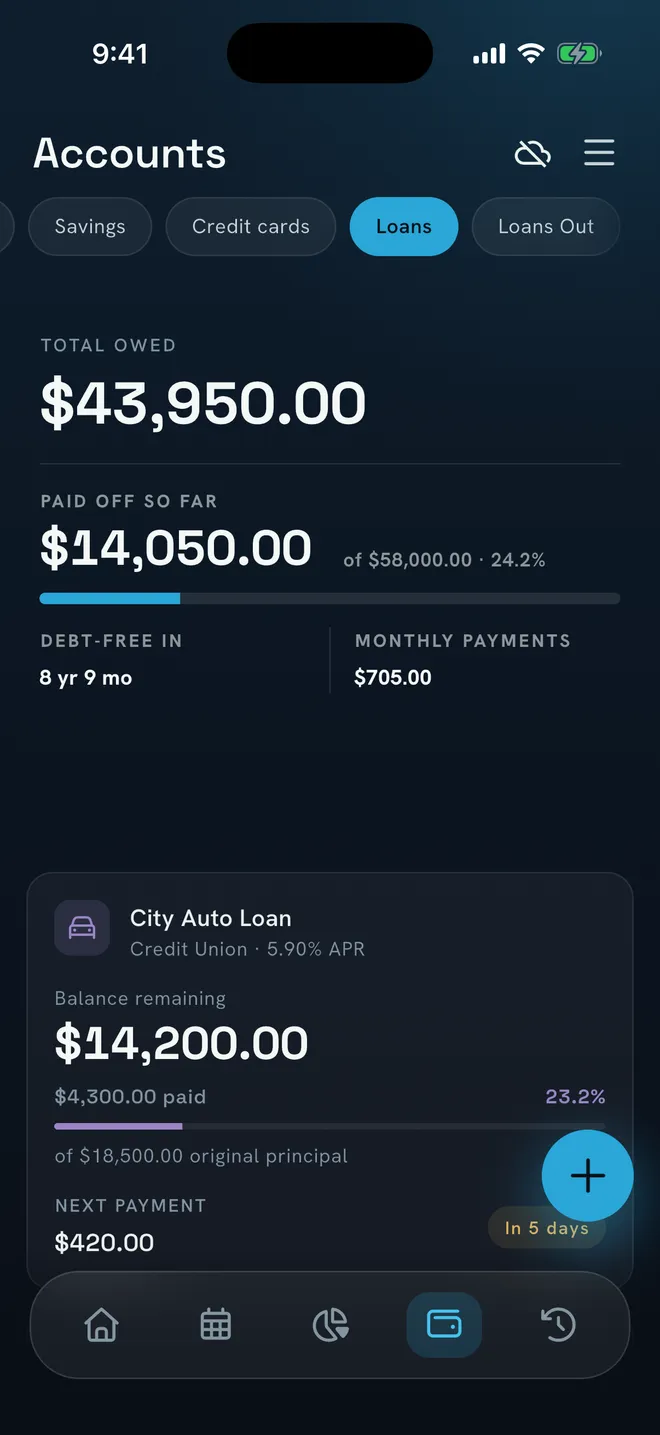
Enter your loan once (mortgage, auto, student or personal) and NEKO works out the rest: how much of each payment goes to principal, how much to interest, and the month you finish. And if you want to pay ahead, you see the effect before you commit.
- Debt overview with one "debt-free in" date across everything you owe
- Principal and interest split on every payment, full schedule included
- Loans Out tracks money you have lent, so you know who owes you what
06 · A budget built around you
A budget that sees the whole picture.
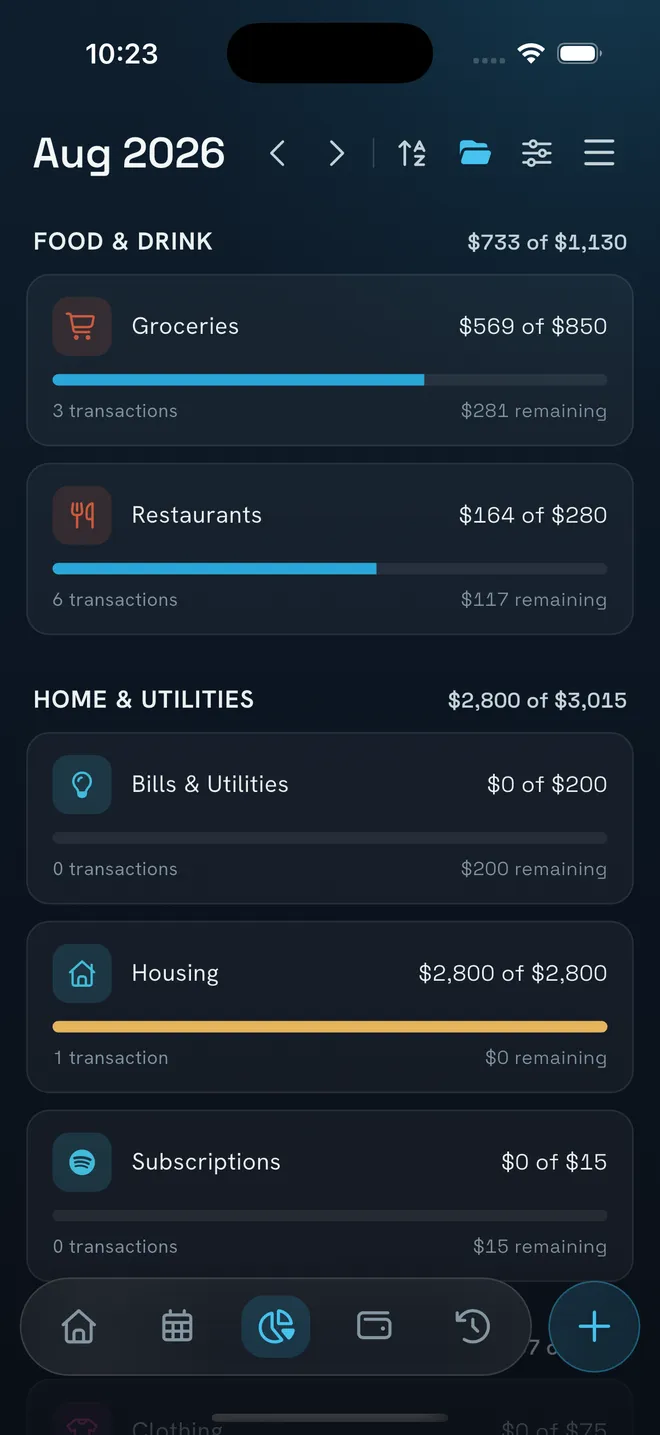
Your budget does not live apart from your bills: NEKO can count rent, utilities and everything already scheduled as money spent, so "what's left" is truly what is left. Set monthly limits per category and pick the day of the month it resets.
- Categories roll up into groups with per-group totals
- Tap any category to see exactly which transactions drove the number
- Set the default once, override any single month
07 · AI statement import
Stop typing in transactions by hand.
The fastest way to leave the spreadsheet behind. Upload a statement as PDF, Excel or CSV and NEKO's AI extracts the transactions, suggests categories from your own list, and assigns the right types. Nothing is saved until you approve it.
1
Upload
A bank statement PDF, Excel file, or CSV.
2
AI extracts
Transactions, categories and types, suggested from your own setup.
3
You approve
A full review screen with search, filters, inline edits and bulk actions comes first.
Always within reach
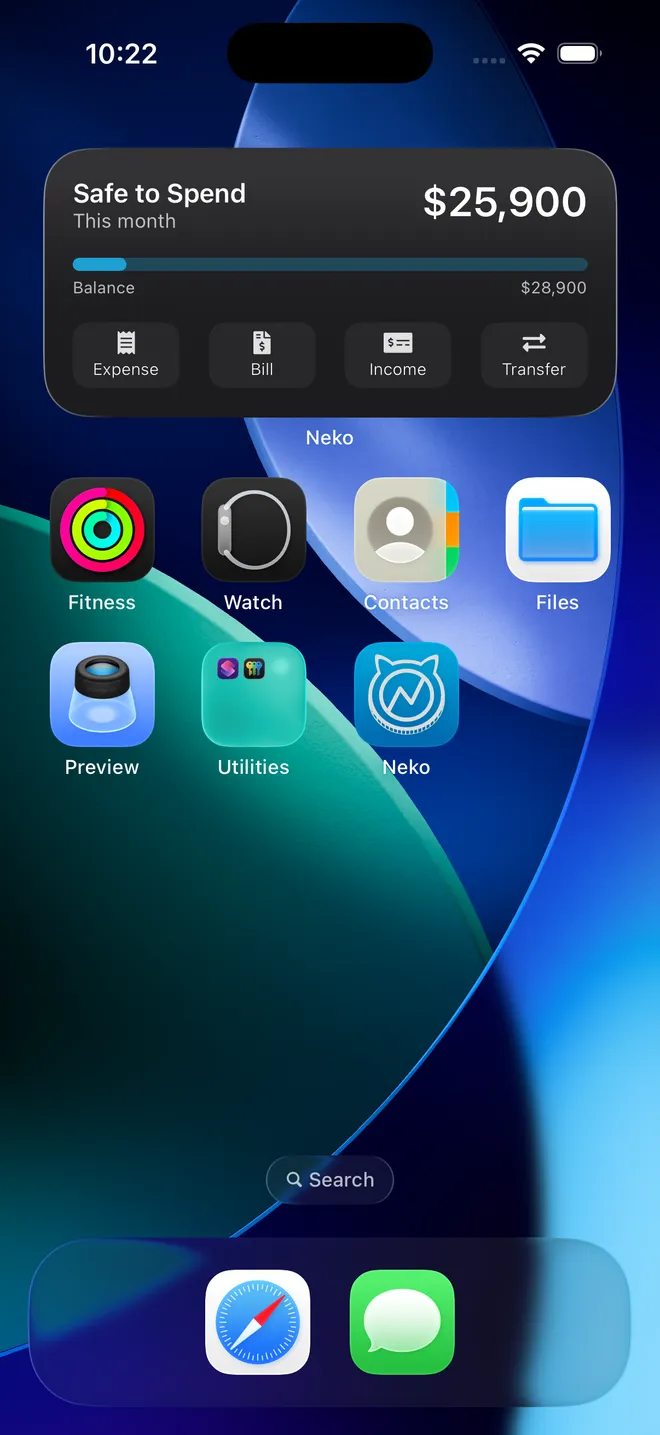
Your Safe to Spend, without opening the app.
Safe to Spend lives on your home screen and lock screen. Siri answers "How much can I spend in Neko". And reminders land before the due date: bills, paydays, card payments, loan payments.
- Widgets for home and lock screen, resizable on Android
- Log an expense straight from your lock screen, or hands-free with Siri
- Bill reminders 7 days, 2 days, the day before, or daily until paid
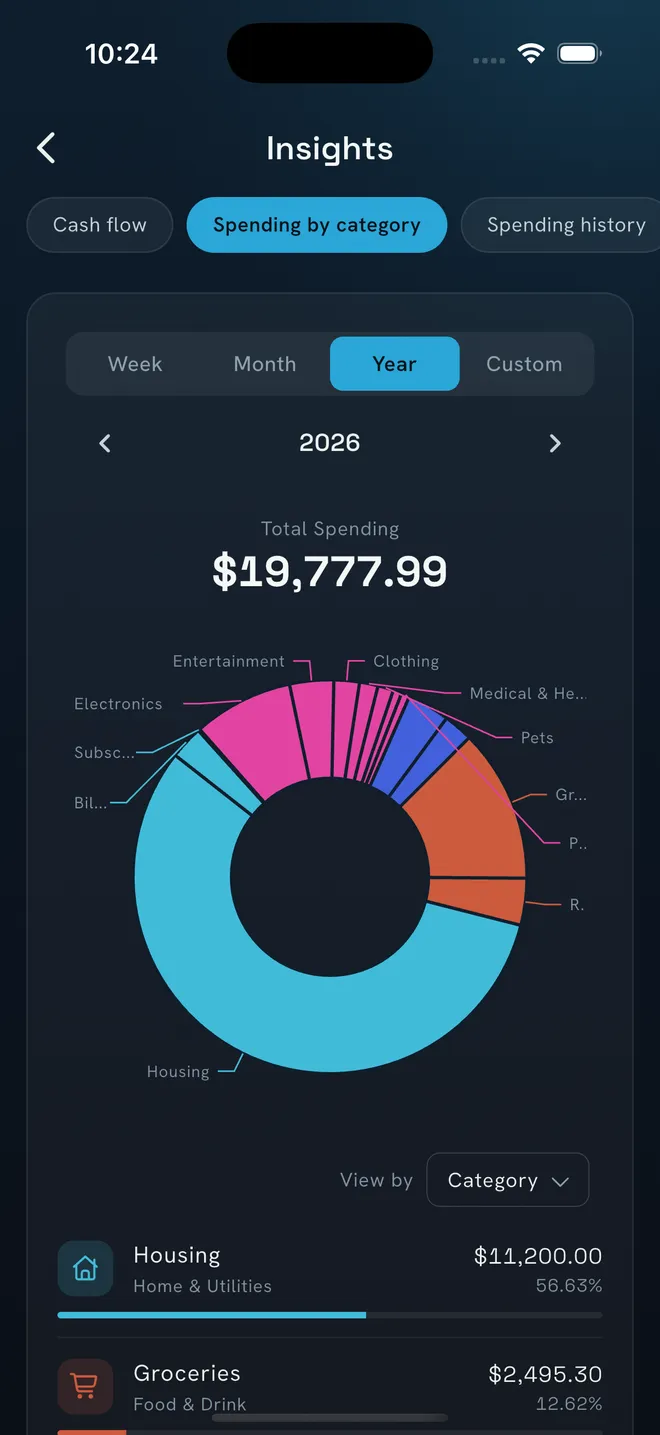
Insights
See where your money actually goes.
Cash flow in versus out, spending by category or group, income history over time: all in clear charts, no formulas or spreadsheets.
- Weekly, monthly, quarterly, yearly, or any custom range
- Net worth tracking from one month to three years
- Every chart drills down to the transactions behind it
From the App Store
It's already working for thousands of people.
4.6 App Store · 4.7 Google Play
I love the feature that shows the remaining cash after paying all the bills.
Great app. We love it and the quick IT support from the owner is top notch.
FAQ
Questions, answered.
What is NEKO?
NEKO is a free personal finance app for iPhone, iPad and Android that tracks your accounts, bills, income, budgets, credit cards and loans, and projects your balance forward so you always know what is safe to spend. It requires no bank connection, and most features work offline.
What is Safe to Spend?
Your current balance minus everything already committed: upcoming bills, credit card payments and transfers. You can check it for this month, next month, before your next payday, or any custom date, and drill into the full breakdown per account.
Does NEKO connect to my bank?
No, by design. You never hand over bank credentials. You enter what you want to track, and if you want to bring history over, the AI import reads a bank statement PDF, Excel or CSV instead.
How far ahead can NEKO project my balance?
As far as your recurring bills and income go. Tap any future date on the calendar and NEKO shows the projected balance, money in and money out for that day.
Does NEKO work offline?
Yes. Most features work without internet. If you create an account, your data also syncs securely across your devices whenever you are back online.
Is my financial data private?
You can use NEKO anonymously with your data kept on your device, or sign in with Apple or Google to sync it across devices. Secure Mode adds a 4-digit PIN with Face ID, Touch ID or fingerprint unlock, and you can delete your account or reset your data any time from Settings.
Is NEKO free?
Yes. Accounts, bills, income, full budgeting, the forecasting calendar, Safe to Spend, insights, widgets and sync are free. An optional Premium subscription adds credit card statement tracking, loans, AI statement import and more, managed through the App Store or Google Play.
Can NEKO help me avoid credit card interest?
Yes. NEKO models your card's real statement cycle and shows the exact amount to pay to avoid interest, with reminders before the due date and automatic payment scheduling if you want it.
Can NEKO track loans and money I have lent out?
Yes. Mortgages, auto, student and personal loans with full amortization schedules and a projected debt-free date, plus Loans Out for money friends and family owe you.
Can I import transactions from my bank statement?
Yes. Upload a PDF, Excel or CSV statement and NEKO's AI extracts the transactions and suggests categories from your own list. Nothing is saved until you review and approve it.
How does NEKO help me avoid late fees on my bills?
Every bill sits on the calendar with a reminder before it is due: 7 days ahead, 2 days, the day before, or daily until it is paid. Recurring bills can post automatically on their date, and Safe to Spend has already set the money aside, so the bill never catches you off guard.
How does NEKO prevent bank overdrafts?
NEKO projects every account's balance day by day into the future. If a scheduled bill or payment will push an account below zero, you get an early warning days before it happens, while there is still time to move money.
How does NEKO help me track my expenses?
Log an expense in seconds from the app, the home-screen widget, or hands-free with Siri. Every expense gets a category and an account, so you can filter, search and chart your spending by category, account or period, and import bank statements to fill in history.
How does the NEKO calendar assist with financial planning?
It shows every scheduled bill, paycheck and card payment on a month view, with a projected balance on every future day. Planning a purchase? Check the day the money leaves and see what your balance will be before you commit.
What is the main purpose of NEKO?
To answer one question you can trust: how much can I actually spend? NEKO accounts for every bill, paycheck, card payment and loan, projects your balance forward, and gives you that answer as a single number: Safe to Spend.
Which platforms does NEKO support?
iPhone, iPad and Android, in your language and currency, with a web version on the way. Everything syncs across your devices when you sign in.

Stop guessing whether your money will last.
Set up your accounts and bills once. NEKO keeps the forecast current from then on.